
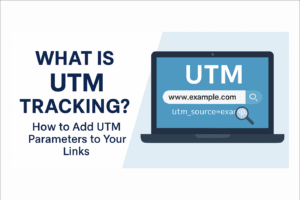
What is UTM Tracking? How to Add UTM Parameters to Your Links (Complete Easy Guide)
Introduction
If you share links across Facebook, Instagram, WhatsApp, email, or blog posts, one common question is:
“Where are my clicks coming from?”
This is exactly what UTM Tracking helps you understand.
By adding small tracking codes to your links, you can identify:
Which platform sent the visitor
Which campaign brought the click
Which button or banner performed best
Let’s break it down step-by-step in simple language.
What is UTM Tracking? (Simple Explanation)
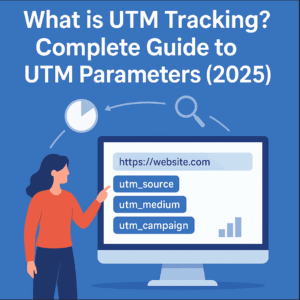
UTM Tracking means adding special parameters (tags) at the end of your link so that Google Analytics can track:
Traffic Source
Traffic Medium
Campaign Name
Keywords used
The exact button or banner clicked
UTM stands for Urchin Tracking Module — an old analytics system that Google later developed into Google Analytics.
👉 In short: UTM Tracking helps you see exactly where your traffic comes from.
Why is UTM Tracking Important? (Real Benefits)
UTM tracking helps you understand:
✔ Which platform sends the most visitors
Facebook? YouTube? Instagram? Blog?
✔ Which campaign performs best
“Winter Sale 2025”, “New Year Offer”, “Blog Promotion” — which brings more clicks?
✔ Which post or ad is working better
Post-1 vs Post-2
Banner vs Button
✔ Better decision-making
You can stop wasteful ads and focus only on the strategies that work.
How UTM Tracking Works
A UTM link looks like this:

This tells Google Analytics:
Source → facebook
Medium → social
Campaign → summer2025
When a user clicks the link, Google Analytics logs all the details.
Types of UTM Parameters (Only 5 You Need to Know)
Google Analytics supports 5 UTM parameters:
🔹 1. utm_source (Traffic Source)
Where did the traffic come from?
Examples:facebook, google, instagram, email, youtube
🔹 2. utm_medium (Channel Type)
How did the traffic arrive?
Examples:social, cpc, email, referral, banner
🔹 3. utm_campaign (Campaign Name)
Which campaign was running?
Examples:newyear2025, launch_offer, promo2025
🔹 4. utm_term (Keyword Tracking)
Used mostly for Google Ads.
Example:utm_term=url+shortener+tool
🔹 5. utm_content (Specific Element Clicked)
Useful when you have multiple CTAs.
Examples:button1, image_banner, footer_link
How to Add UTM Parameters to Any Link (Step-by-Step)
Let’s say your main link is:
Now you want to share this link on Facebook with tracking.
Step 1 — Start with the Base URL
https://shortcuturl.com/
Step 2 — Add ? and your first UTM parameter
https://shortcuturl.com/?utm_source=facebook
Step 3 — Add medium
https://shortcuturl.com/?utm_source=facebook&utm_medium=social
Step 4 — Add campaign
https://shortcuturl.com/?utm_source=facebook&utm_medium=social&utm_campaign=promo2025
Step 5 — Add optional content tag
...&utm_content=button_click
Final UTM Link
https://shortcuturl.com/?utm_source=facebook&utm_medium=social&utm_campaign=promo2025&utm_content=button_click
Done!
Your UTM tracking link is ready.
Why You Should Shorten UTM Links (Smart Practice)
UTM links are often long and messy.
If you shorten them using ShortcutURL, you get:
Clean and short links
Professional appearance
Higher CTR
Easy sharing
Full analytics tracking preserved
Example:
Long UTM Link:
https://shortcuturl.com/?utm_source=facebook&utm_medium=social&utm_campaign=promo2025
Short UTM Link (via ShortcutURL):
https://shortcuturl.com/r3Sx9
Analytics will still capture all UTM data.
Where to View UTM Data (Google Analytics)
Open Google Analytics →
Reports → Acquisition → Traffic Acquisition
You will see:
Source (facebook, instagram, etc.)
Medium (social, email, cpc)
Campaign names
Clicks, sessions, conversions
Bounce rate
Engagement time
This helps you identify which link works best.
UTM Tracking Link Examples You Can Use Immediately
📌 Instagram Post
...?utm_source=instagram&utm_medium=social&utm_campaign=brand_promo
📌 WhatsApp Sharing
...?utm_source=whatsapp&utm_medium=social&utm_campaign=direct_share
📌 Email Newsletter
...?utm_source=newsletter&utm_medium=email&utm_campaign=feb_update
📌 Google Ads
...?utm_source=google&utm_medium=cpc&utm_campaign=ads2025&utm_term=url+shortener
Why This Topic Is Perfect for ShortcutURL.com
URL tools + UTM tracking = perfect SEO combination
Great for marketing audience
High CPC keywords ($5–$12+)
Brings U.S./global traffic
Builds topical authority
Boosts impressions & clicks
Final Thoughts
UTM tracking is one of the most powerful tools for understanding your traffic and improving your marketing strategy.
It helps you answer:
Which platform works best
Which campaign gives the highest clicks
Which button brings conversions
When combined with ShortcutURL, your UTM links become clean, professional, and easy to share—without losing analytics data.
FAQs.
Q1: What is UTM tracking used for?
UTM tracking is used to identify where your traffic is coming from. It helps you track the performance of campaigns, posts, ads, and social links in Google Analytics.
Q2: How do I add UTM parameters to a URL?
You can add UTM parameters by inserting tags such as utm_source, utm_medium, and utm_campaign at the end of your link using the format: ?key=value&key=value.
Q3: Do UTM parameters work with short URLs?
Yes. When you shorten a UTM-tagged URL using ShortcutURL, all tracking information remains intact and continues to work in Google Analytics.
Q4: Are UTM tags case-sensitive?
Yes. UTM parameters are case-sensitive, so using lowercase is recommended for clean and consistent tracking.
👉 Use Our Free URL Shortener Tool
Link → https://shortcuturl.com/
Hi there! I just wanted to ask if you ever have any
issues with hackers? My last blog (wordpress) was hacked and I ended up losing several weeks of hard work due
to no data backup. Do you have any methods to protect against
hackers?
Thank you for your comment! 😊
Sorry to hear about your previous experience. Website security is very important, especially for WordPress sites. We regularly update our plugins and themes, use strong passwords, enable security plugins, and keep regular backups to protect our site.
I would also recommend using a reliable security plugin and automatic backups to prevent data loss. Hope this helps, and thanks for visiting!
We’re a bunch of volunteers and opening a brand new scheme in our community. Your website provided us with helpful information to work on. You have done an impressive task and our entire group will be grateful to you.
Thank you so much for your kind and encouraging words! 😊
We’re truly glad that our website could provide helpful information for your community initiative. Wishing you and your team great success with your new scheme. Your support means a lot to us!
Can I just say what a relief to find someone who actually knows what theyre talking about on the internet. You definitely know how to bring an issue to light and make it important. More people need to read this and understand this side of the story. I cant believe youre not more popular because you definitely have the gift.
Thank you for the wonderful feedback! I’m glad the article helped bring attention to this topic. Your support means a lot.